Kitchen display
The kitchen screen, on a phone or tablet you already own.
Tickets reach the right station the moment the waiter sends them, and the floor sees when each dish is ready. It runs on Android and iOS: a tablet on the line, a phone at the bar. Included free in ProPOS.
See it in action
A kitchen, a bar and a pass, in under two minutes.
Stations, the three board modes, claiming, and every cook in their own language.
Open this demoAny screen
A tablet on the line, a phone at the bar.
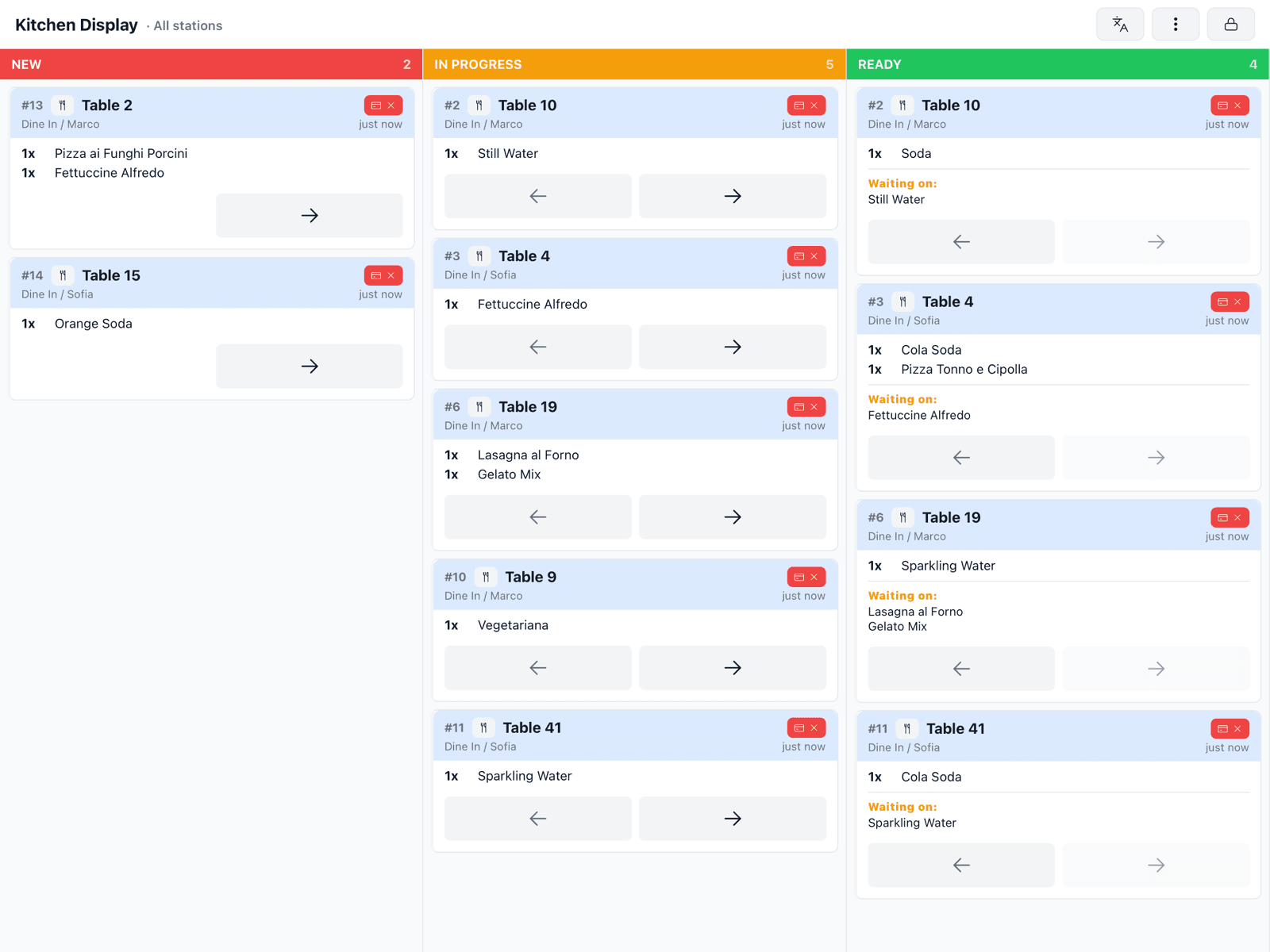
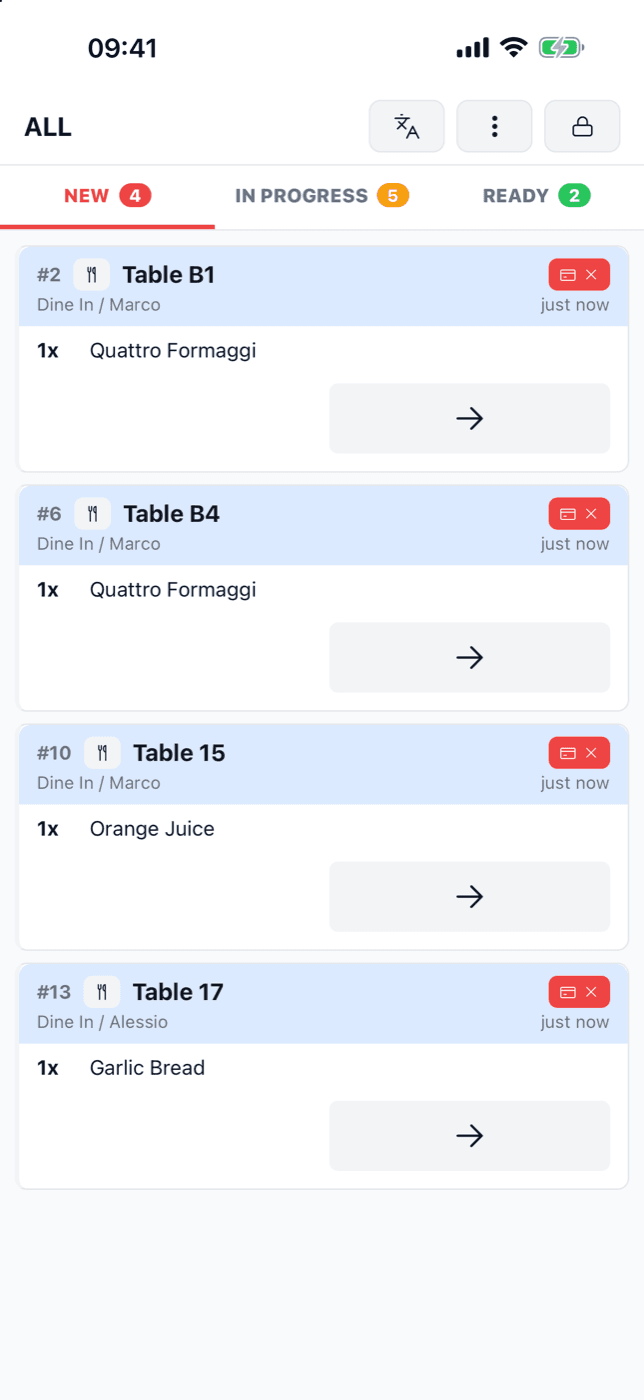
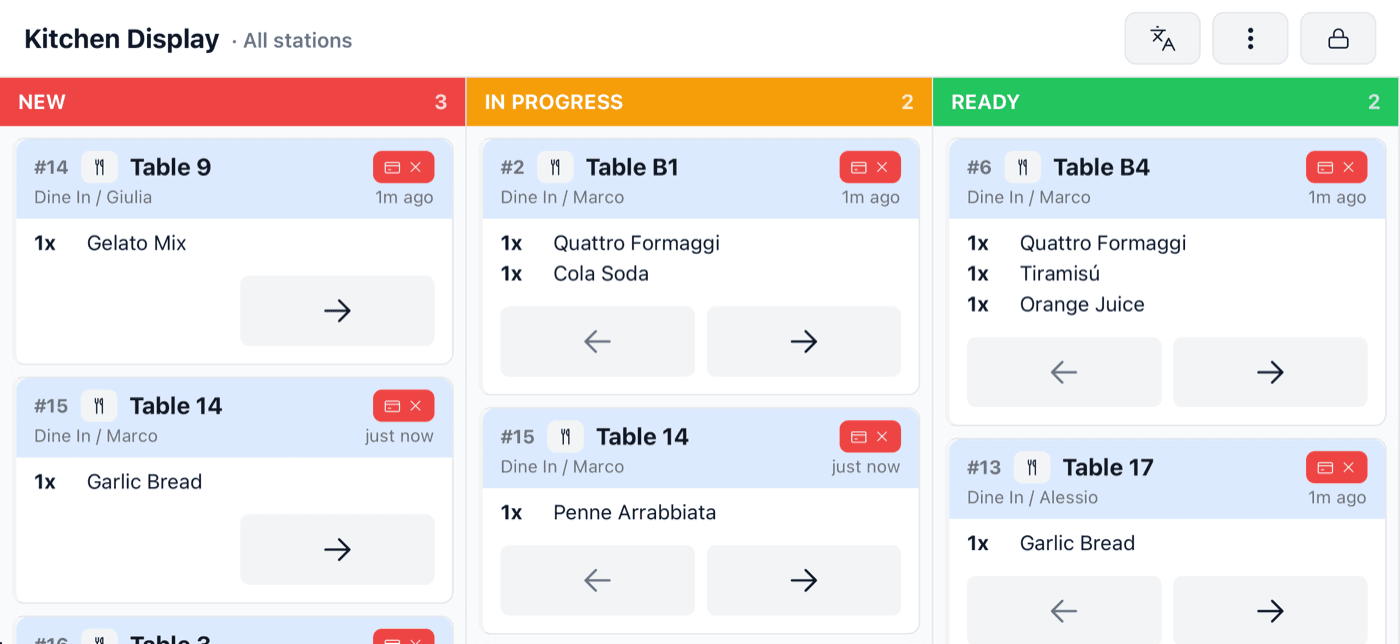
There is no kitchen hardware to buy. On a tablet the app is a three-column board. On a phone the columns become tabs, so the bar queue fits in a pocket or stands on the counter, upright or on its side.
- Android and iOS, phones and tablets
- Each menu item goes to its own station: kitchen, bar, pizza, desserts
- One screen can show every station, for the pass
- Each cook sees the board in their own language: the pass in English, the bar in Italian
- The screen stays on through service
Three ways to run the board
Pick the board that fits the station.
Set a mode for the whole restaurant, for one station, or for one screen. The grill and the pastry section rarely want the same thing.
- 1
Whole order
One ticket per order, moved from New to In progress to Ready with a tap. With course pacing, each course the waiter fires arrives as its own ticket.
- 2
Per-item tickets
The same board with one card per item, so two cooks can work one order without waiting on each other.
- 3
Item fulfillment
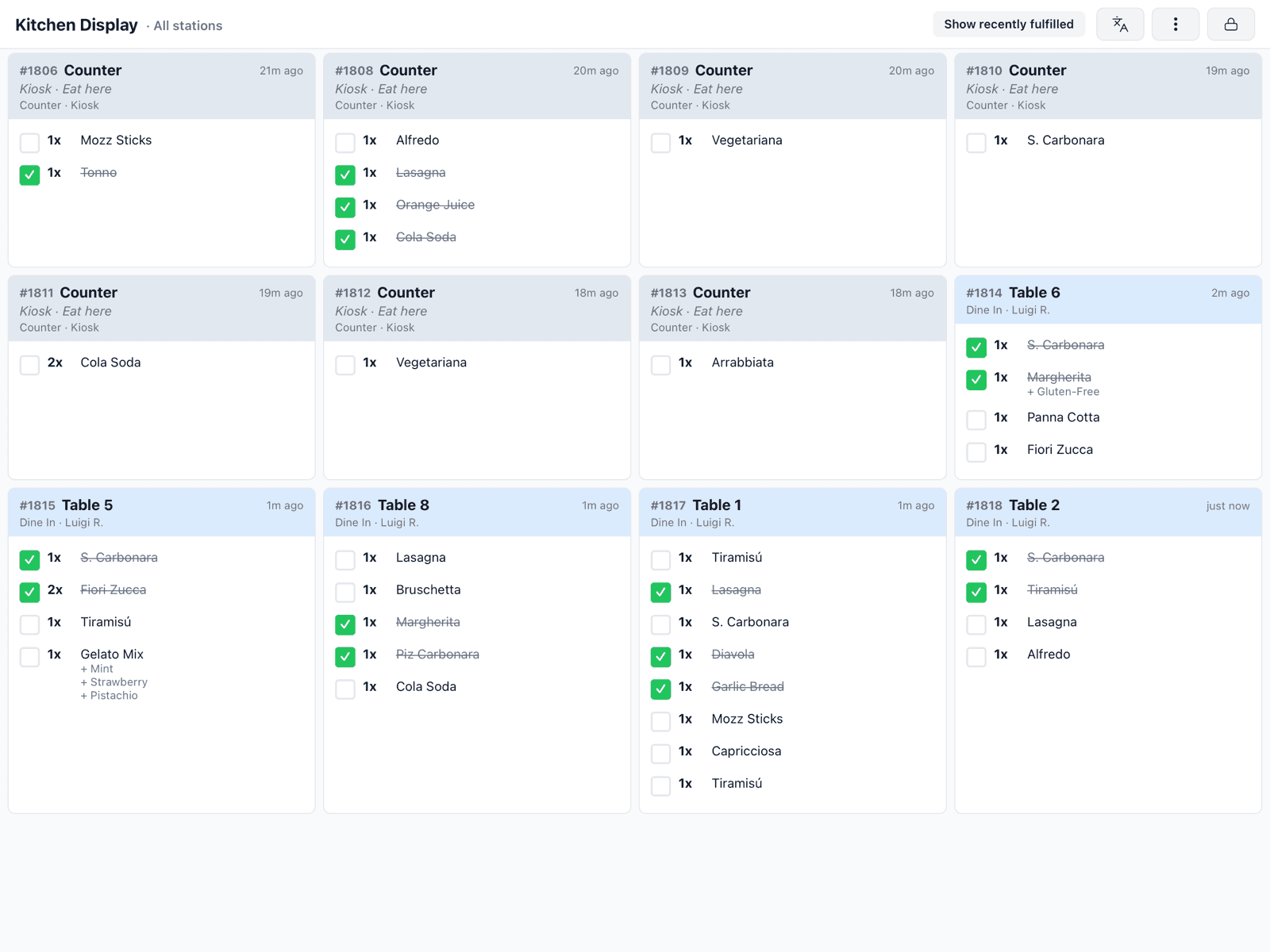
No columns: one card per order, every item a tick box, grouped by course. The card clears when the last item is ticked. Made for the pass.
Quick actions
A cola never needs to be “in progress”.
Turn on quick actions for a station and every new ticket gets three buttons: start preparing, mark ready, or done and off the board. Drinks and desserts go out in one tap.
- Start, ready, or done and cleared, straight from New
- Hold a ticket, then Rush: a red band on every screen, and it moves to the front
- Mark a dish sold out from the line, or set how many portions are left
- Print a runner slip for a whole ticket or a single item
- Every ticket move can be undone
Claiming tickets
Several people, one queue, no round made twice.
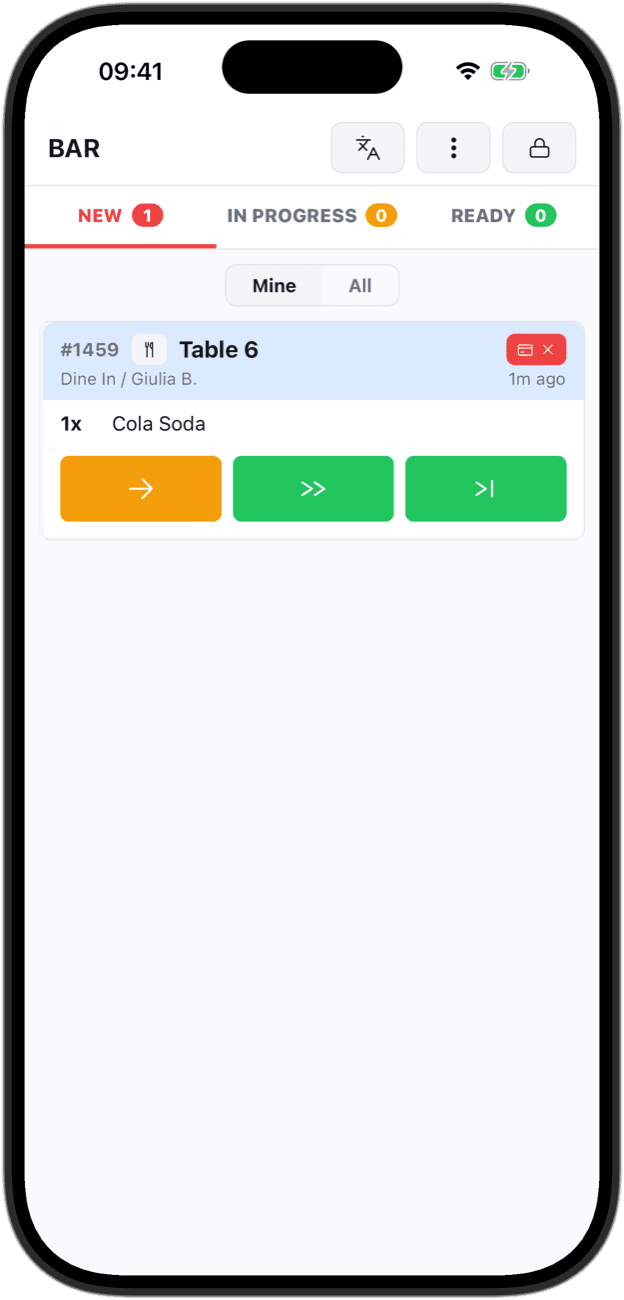
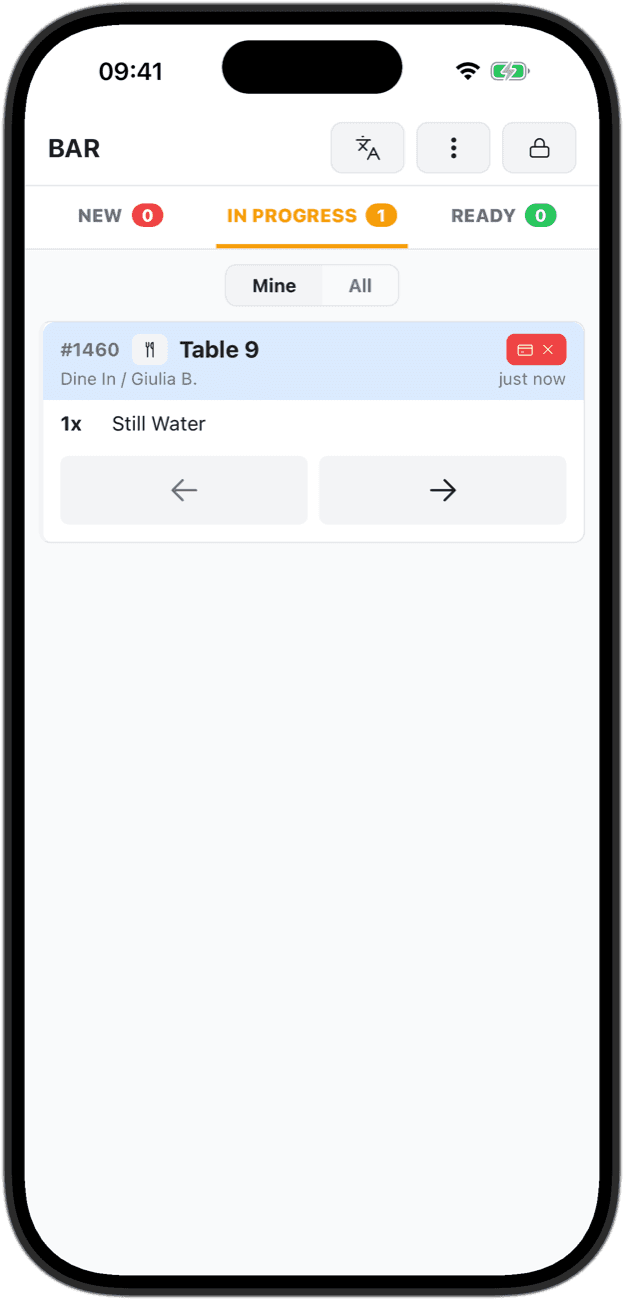
With claiming on, whoever starts a ticket takes it. It moves to In progress under their name, so two bartenders never make the same round.
- Starting a ticket claims it for whoever is signed in on that screen
- Mine shows your own tickets; All shows the whole station, with a name on every claimed ticket
- Send a ticket back to New and anyone can take it again
- Switched on per station, in the back office
Pickup display
Turn a tablet into the board your guests watch.
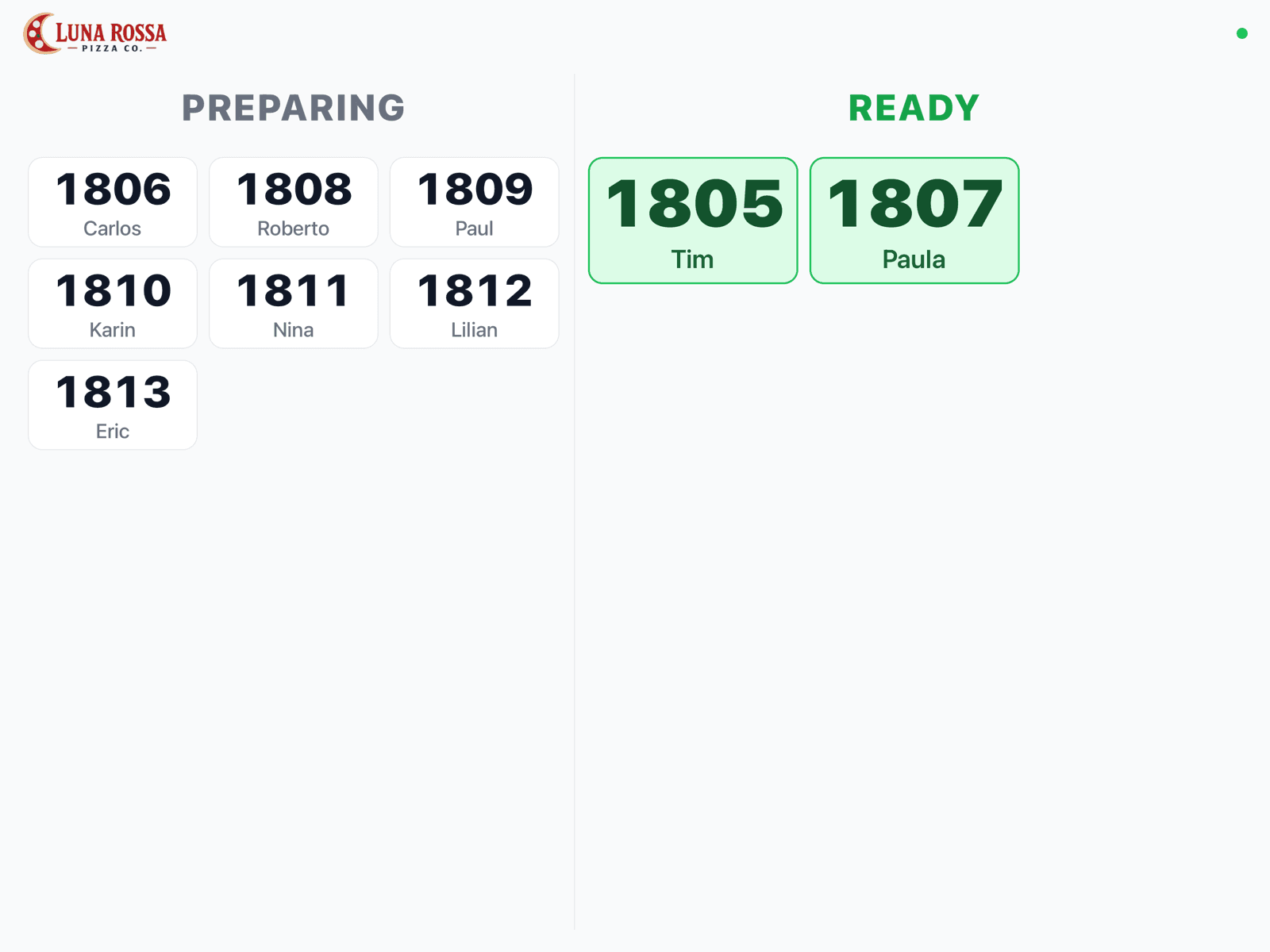
For counters, cafés and takeaway: order numbers and first names under Preparing and Ready. When an order is ready it fills the screen for a moment and a chime sounds.
- Counter and takeaway orders, from every station
- Headings switch between your language and up to three more
- Your logo at the top
- Locked for guests: settings need a manager PIN
And the small things a busy kitchen notices
Courses coming up
Courses the waiter is still holding wait in a Coming up tray, so the kitchen sees what is next before it is fired.
A chime for new orders
A sound when a ticket arrives, even with an iPhone on silent. Each screen can turn it off.
Voids nobody misses
An item voided mid-cook stays red on the ticket until a cook taps to acknowledge it, and the ticket cannot be marked ready before then.
Keeps working offline
When the internet drops, tickets keep arriving over your own Wi-Fi and every ticket you move is saved on the screen.
Get started
Put the kitchen on the screen you already have.
The kitchen display is included free in ProPOS. Install the app, pick a station, and the next ticket is on it.